Navigating Incheon Airport with Smart Pass: Registration, Locations, and Tips
인천광역시 중구 공항로 272
인천국제공항




Smart Pass is one of the most convenient services for travelers departing from Incheon Airport(인천국제공항), allowing you to pass through the departure hall using facial recognition instead of repeatedly showing your passport and boarding pass.
Although frequent travelers rely on it, many people are still unaware of how it works, where to use it, or how to register properly.
This guide covers Smart Pass registration, terminal-specific lane locations, and practical tips to help you move through Incheon Airport faster and with less stress.
What is Incheon Airport Smart Pass?
Smart Pass is a biometric service that allows travelers to enter the departure hall or board their flight by scanning their face.
By registering your passport, facial information, and boarding pass in advance, you can pass through designated Smart Pass lanes without manually presenting documents.
Even when using Smart Pass, you must still carry your passport and boarding pass with you.
Who can use Smart Pass
Smart Pass is available for travelers aged seven and older. Children under fourteen require parental consent during registration.
Once your facial information is registered, it remains valid for five years. However, you must re-register if you renew your passport.

Smart Pass registration step by step
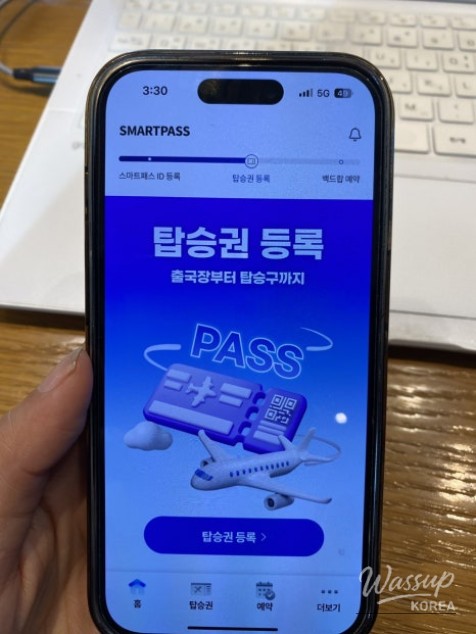
First, download the Incheon Airport Smart Pass app.
Next, scan your passport using your smartphone. When using an iPhone or Galaxy device, move the phone slowly to ensure the NFC chip is recognized.
The passport chip location differs depending on the passport type. New passports have the chip on the photo page, while older passports store it in the back cover.
After scanning your passport, register your face and then register your boarding pass.

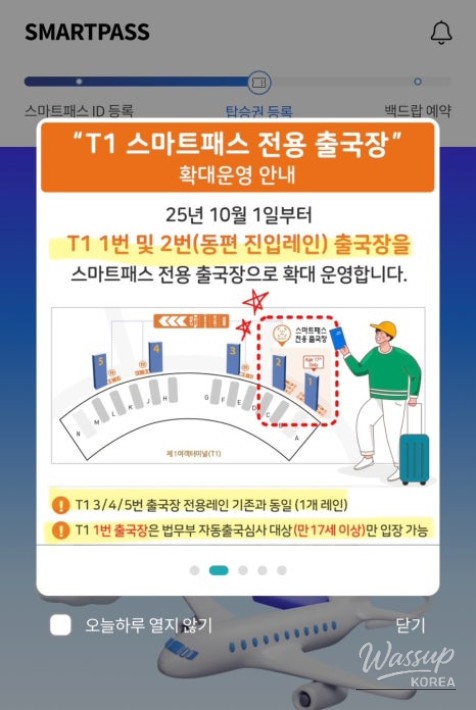
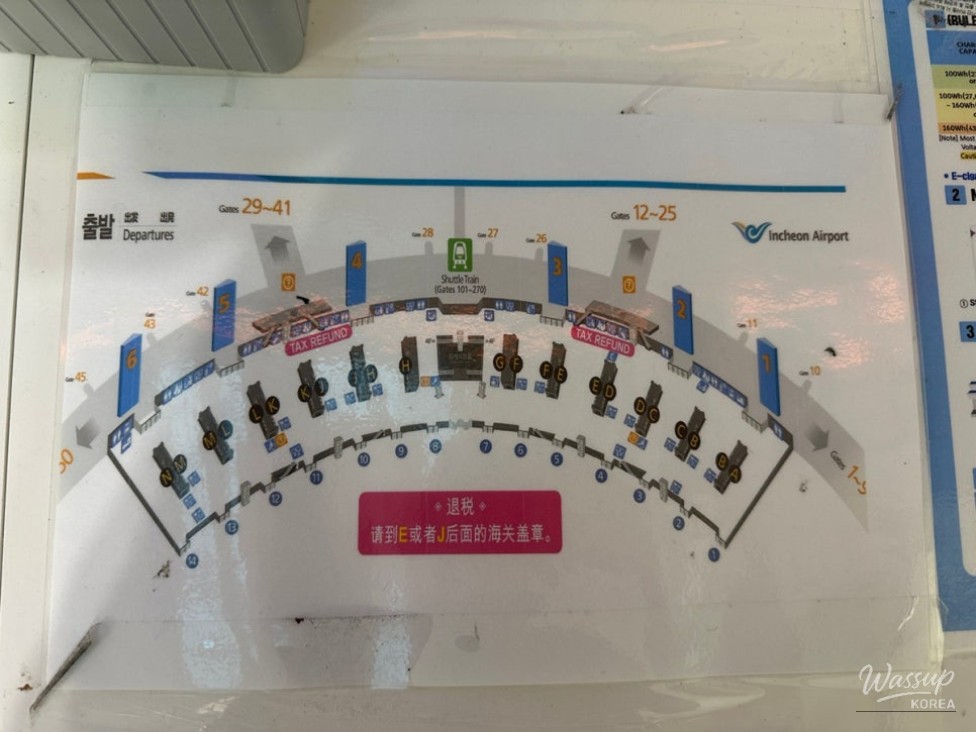
Smart Pass lanes at Incheon Airport Terminal 1
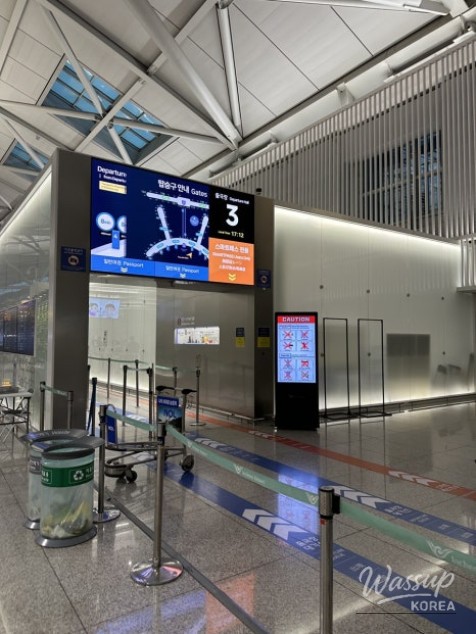
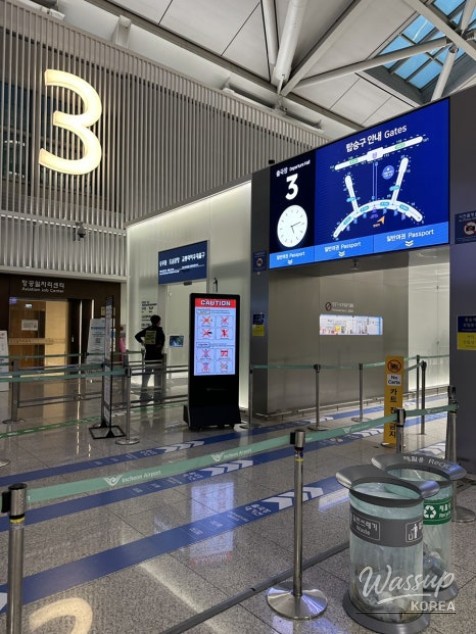
Terminal 1 provides Smart Pass access at all departure gates, but lane types differ by gate.
Gate 1 is available only to travelers aged seventeen and older who are eligible for the automated immigration service.
Gate 2 has a dedicated Smart Pass lane.
Gates 3, 4, and 5 operate shared lanes for Smart Pass and general passport users.

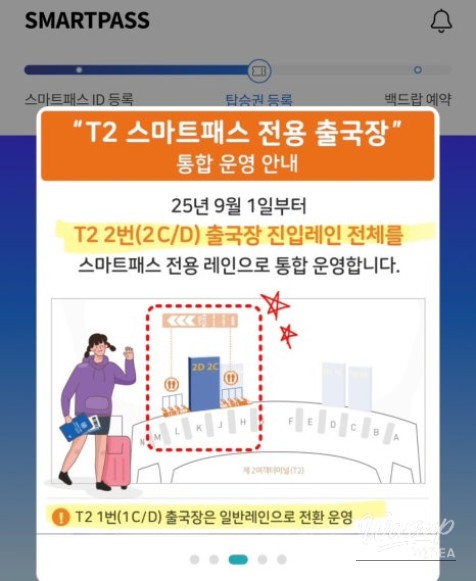
Smart Pass lanes at Incheon Airport Terminal 2
Terminal 2 offers dedicated Smart Pass lanes at gates 2C and 2D.
General passport lanes are located at gates 1C and 1D, so checking the correct entrance in advance can save time.
Registering your boarding pass for Smart Pass
You must register your boarding pass every time you depart, although some airlines automatically link it during mobile check-in.
After opening the app, select your registered facial ID and scan either the mobile QR code or the barcode on a paper boarding pass.

Smart security screening experience
Smart security checkpoints are now available throughout all departure areas at Terminals 1 and 2.
You place all belongings into a basket, but laptops and tablets no longer need to be removed from bags.
This significantly speeds up security checks and reduces stress during peak travel times.
Why Smart Pass is worth using
Using Smart Pass allows you to move through the departure area with free hands, without repeatedly presenting documents.
For frequent travelers or anyone tired of long lines, Smart Pass provides a noticeably smoother airport experience.
After using it at Terminal 1, the convenience alone made it hard to imagine traveling without it.






No comments yet.