How to Use Self Bag Drop at Incheon Airport (T'way Air)
272, Gonghang-ro, Jung-gu, Incheon, South Korea
인천국제공항 제1여객터미널




Self Bag Drop, also known as self baggage check-in, is one of the most convenient services at Incheon International Airport (인천국제공항) for travelers looking to bypass long queues. By handling your own luggage, you can significantly reduce your time at the terminal and head straight to security. This service is a game-changer for those who have already completed their online check-in.
This guide provides a detailed walkthrough of the T’way Air Smart Bag Drop process at Terminal 1, Zone G. From finding the right counter to attaching your own luggage tags, we cover every step based on a real-life experience to help you start your journey with ease and efficiency.
What Is Incheon Airport Self Bag Drop?
Self Bag Drop is a specialized service that allows passengers to check in their luggage independently. To use this service, you must have already completed your check-in via a mobile app, PC, or an airport kiosk and possess a valid boarding pass. For T’way Air passengers, this service is located at the G counter in Terminal 1 and operates daily from 05:00 to 21:00.

Locating the T’way Air G Counter
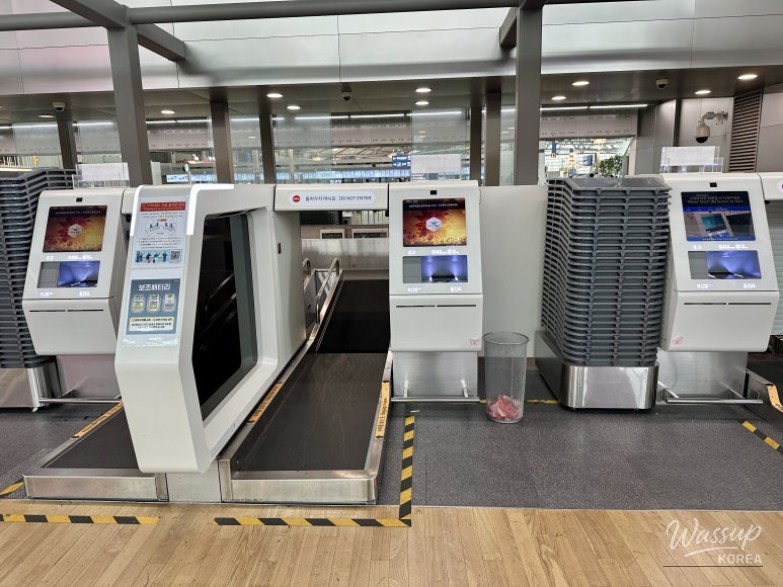
All departure procedures take place on the 3rd floor of Terminal 1. Head to Zone G, where you will find the clearly marked T’way Air Smart Bag Drop area. If you haven't checked in yet, kiosks are available nearby, but those with a mobile boarding pass can skip the kiosks and go directly to the bag drop machines.
Step-by-Step: Using the Smart Bag Drop Machine
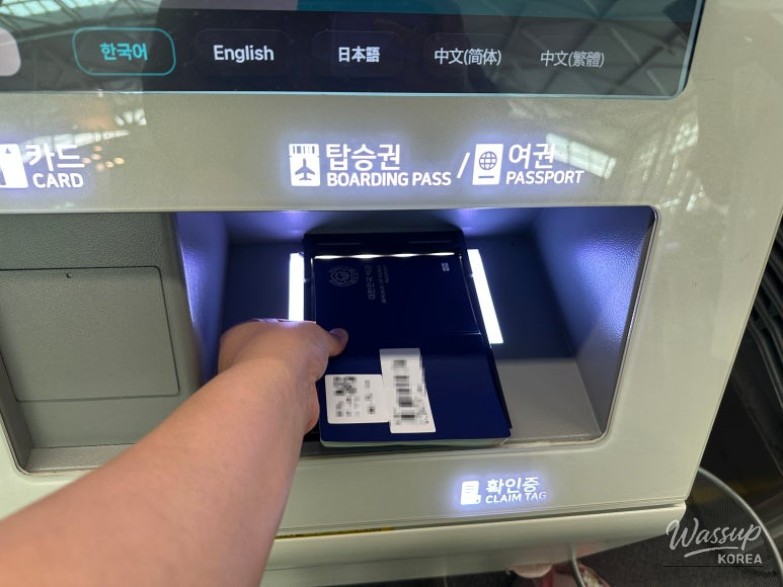
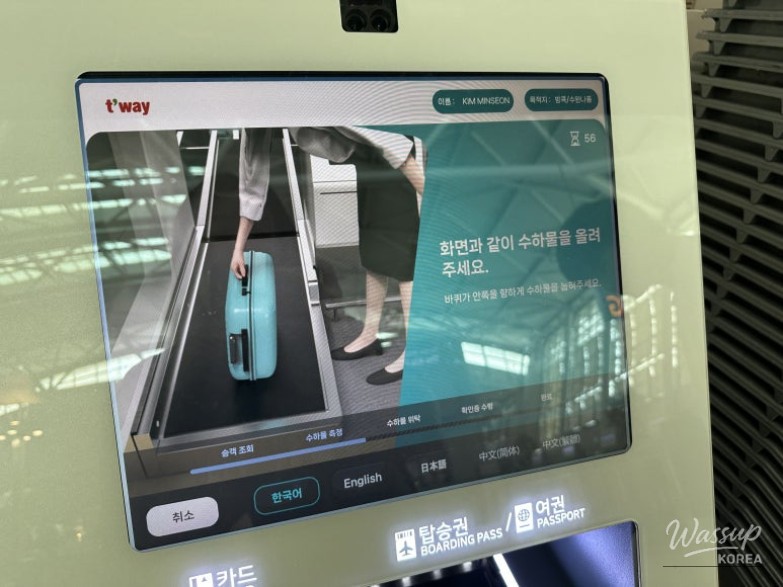
The process is designed to be intuitive. First, scan your mobile boarding pass or printed ticket at the machine. This links your identity to the baggage system. Following the boarding pass scan, you will be prompted to scan your passport for final identity verification. Ensure your passport is opened to the photo page for a quick scan.

Weighing and Tagging Your Luggage
Place your suitcase horizontally on the scale within the marked area. The machine will display the weight and ask you to confirm that no prohibited items, such as batteries or lighters, are inside. Once confirmed, the machine will print a long luggage tag. Wrap this tag securely around the side handle of your suitcase and attach the small barcode sticker to the side of the bag as instructed.
Finalizing Your Baggage Check-In
After the tag is attached, confirm the completion on the screen. Your luggage will then be automatically moved via the conveyor belt into the airport's sorting system. The machine will issue a baggage claim receipt—be sure to keep this safe until you reach your final destination, as it is your only proof of check-in.

Quick Tips for a Smooth Experience
To maximize efficiency, always complete your mobile check-in before arriving at the airport. This allows you to walk straight to the G counter. Double-check your airline's weight allowance to avoid any issues at the scale, and remember that this service closes exactly one hour before your flight's scheduled departure time.
The Smart Bag Drop service is a great way to start your vacation without the stress of long lines. Have you tried using a self-service kiosk or bag drop on your last trip, or do you still prefer the traditional staffed counter for peace of mind? Let us know your favorite airport time-saving tips!





No comments yet.